Customization
Sonic provides customization controls that let you maintain brand consistency, tune checkout behavior, and configure which payment options customers see. These settings apply across all Sonic checkout sessions for your account, giving you a consistent experience without per-transaction configuration.
Customization spans three areas: visual branding that controls how the checkout looks, behavioral controls that govern session and interaction rules, and payment configuration that determines which payment modes are presented and how.
Branding and UI
Checkout Appearance
Sonic supports visual customization so the checkout matches your brand identity. You can configure:
- Logo: upload a logo file or provide a logo URL. If no logo is configured, Sonic displays your configured merchant display name as a fallback.
- Display name: set the merchant name shown in the checkout header.
- Colors: choose a checkout background color and select a text color (black or white) to maintain readable contrast against your chosen background.
These settings ensure that the checkout experience feels like a natural extension of your website or app rather than a third-party payment form.
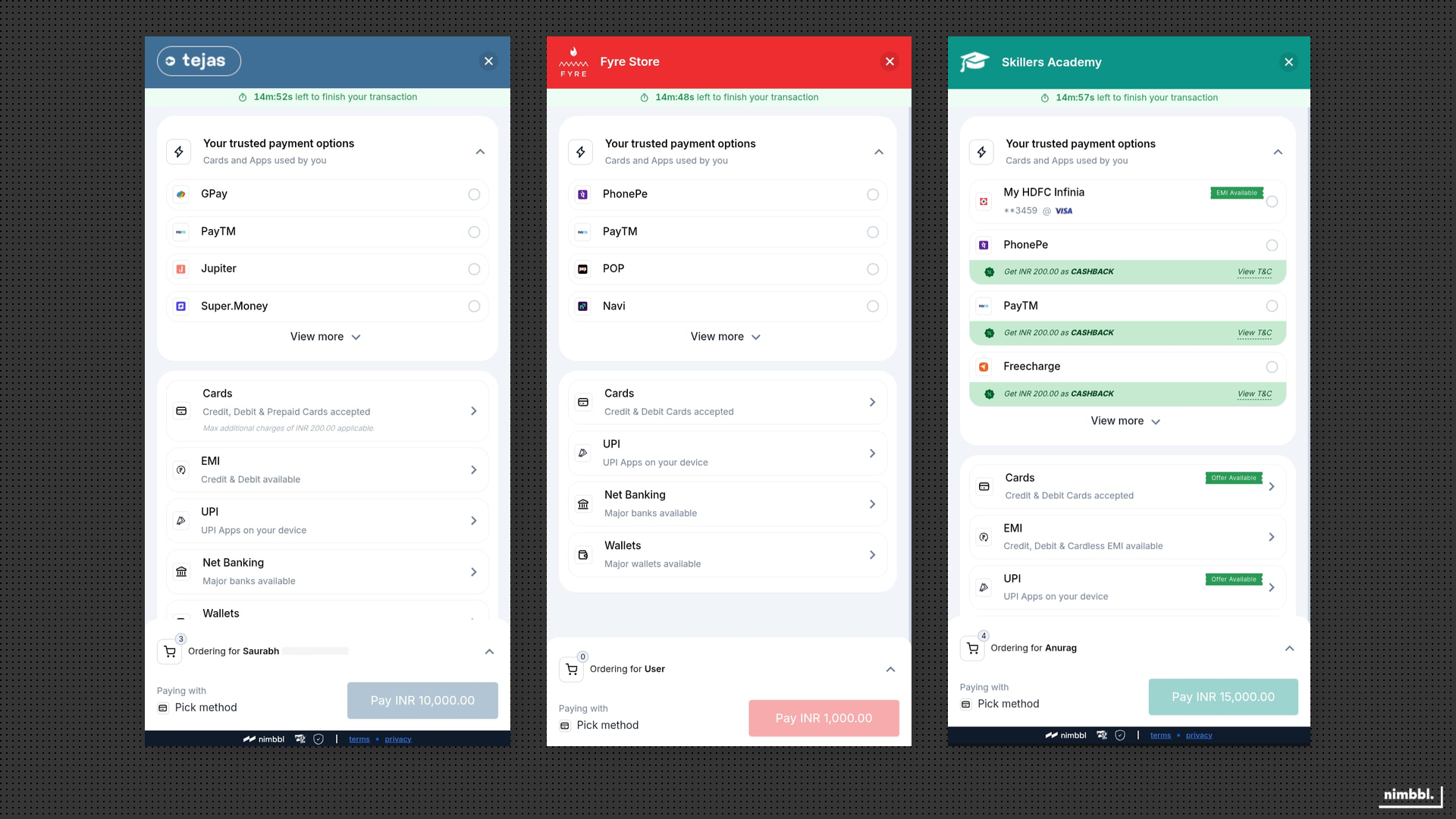 Three branded checkouts showing how the checkout adapts to each merchant's colour scheme.
Order Summary Visibility
You can control whether a detailed order summary is shown to the customer during checkout. When enabled, the order summary displays line items with quantities, a pricing breakdown, and the total amount. On smaller screens, the order summary appears in a collapsible drawer to keep the checkout interface clean while still providing full order details on demand.
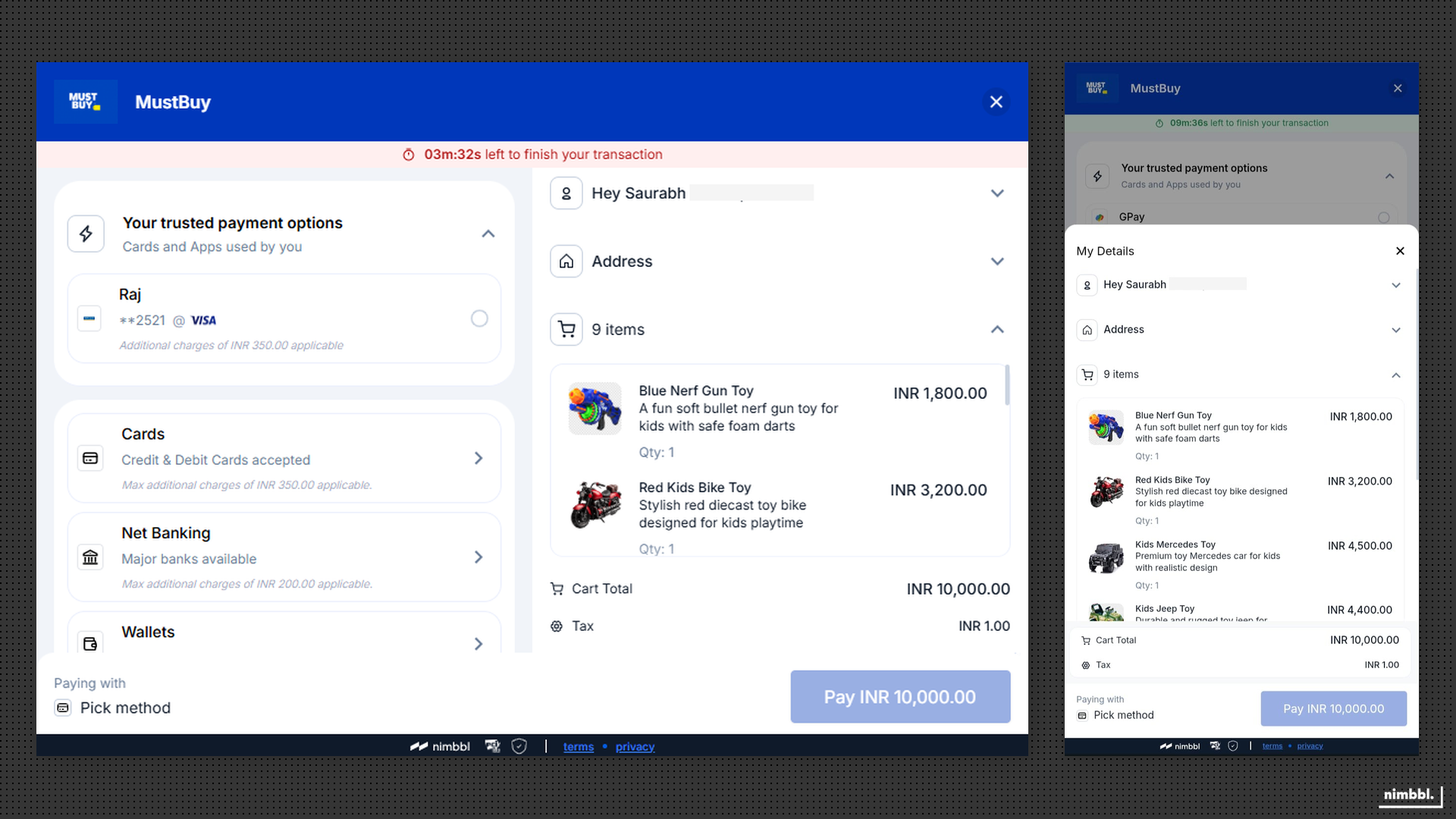 The order summary drawer displays item details and a pricing breakdown before payment.
Desktop Control
Sonic includes a desktop-specific layout that optimizes the checkout experience for larger screens. When desktop layout is enabled, Sonic adjusts the checkout interface to take advantage of the additional screen space. When disabled, Sonic uses a consistent mobile-responsive layout across all device sizes.
Behavioral Controls
Session Timeout Configuration
Sonic supports a configurable session timeout that balances security with customer convenience. The timeout determines how long a checkout session remains active before it expires.
- Duration range: 7 to 20 minutes.
- Default: 19 minutes.
- Countdown visibility: the checkout can display a visible countdown timer so customers know how much time remains.
- On expiry: the session ends and the customer must restart the checkout flow.
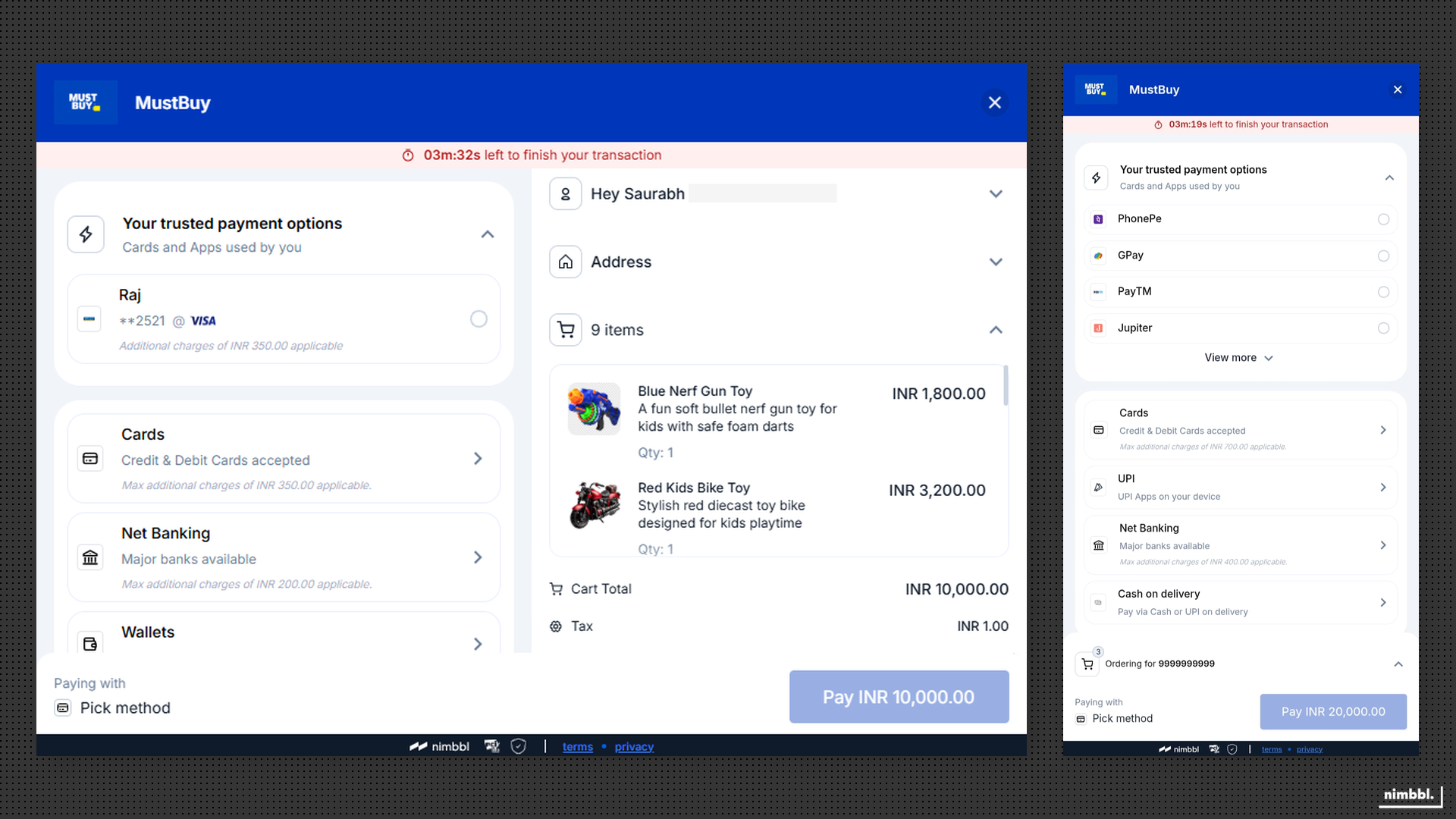 The session timer shows remaining time, giving customers clear visibility into the session window.
Checkout Display Mode
Sonic can launch in two display modes depending on your integration pattern and preferred customer experience:
- Popup: the checkout opens as an overlay on top of your website or app, keeping the customer in context with your content visible behind the checkout.
- Redirect: the customer is navigated away from your website to the checkout, then returned after payment completion.
The popup mode is generally preferred for web integrations where maintaining site context improves conversion, while redirect is suited for scenarios where a full-page checkout experience is needed.
User Account Switching
You can enable or disable account switching during checkout. When enabled, customers can change the phone number associated with their checkout session, which is useful for shared-device scenarios. Account switching uses OTP verification to validate the new identity before proceeding.
Payment Attempt Limits
Sonic enforces limits at two levels to prevent endless retry loops and provide clear resolution when attempts are exhausted.
- Auto-fallback retries: up to 3 alternative payment partner paths per payment attempt (managed by Pulse fallback).
- Payment attempts per order: up to 15 attempts per order (default). Configurable at the merchant level, with the ability to override per order.
- When exceeded: the customer sees a clear outcome indicating that maximum attempts have been reached and must restart checkout.
Payment Mode Configuration
Personalized Payment Options Visibility
Sonic can surface a fast payment tray that highlights customer-relevant options when personalization is enabled. The fast payment tray is where saved cards, Magik UPI preferences, and eligibility-driven options (such as Pay Later and cardless EMI) appear for returning customers. You can enable or disable the fast payment tray to control whether personalized options are shown.
Traditional Payment Mode Visibility
Beyond the personalized fast payment tray, Sonic displays the full list of traditional payment modes: cards, UPI, netbanking, wallets, and EMI. You can configure which of these traditional payment modes are shown or hidden based on your business requirements.
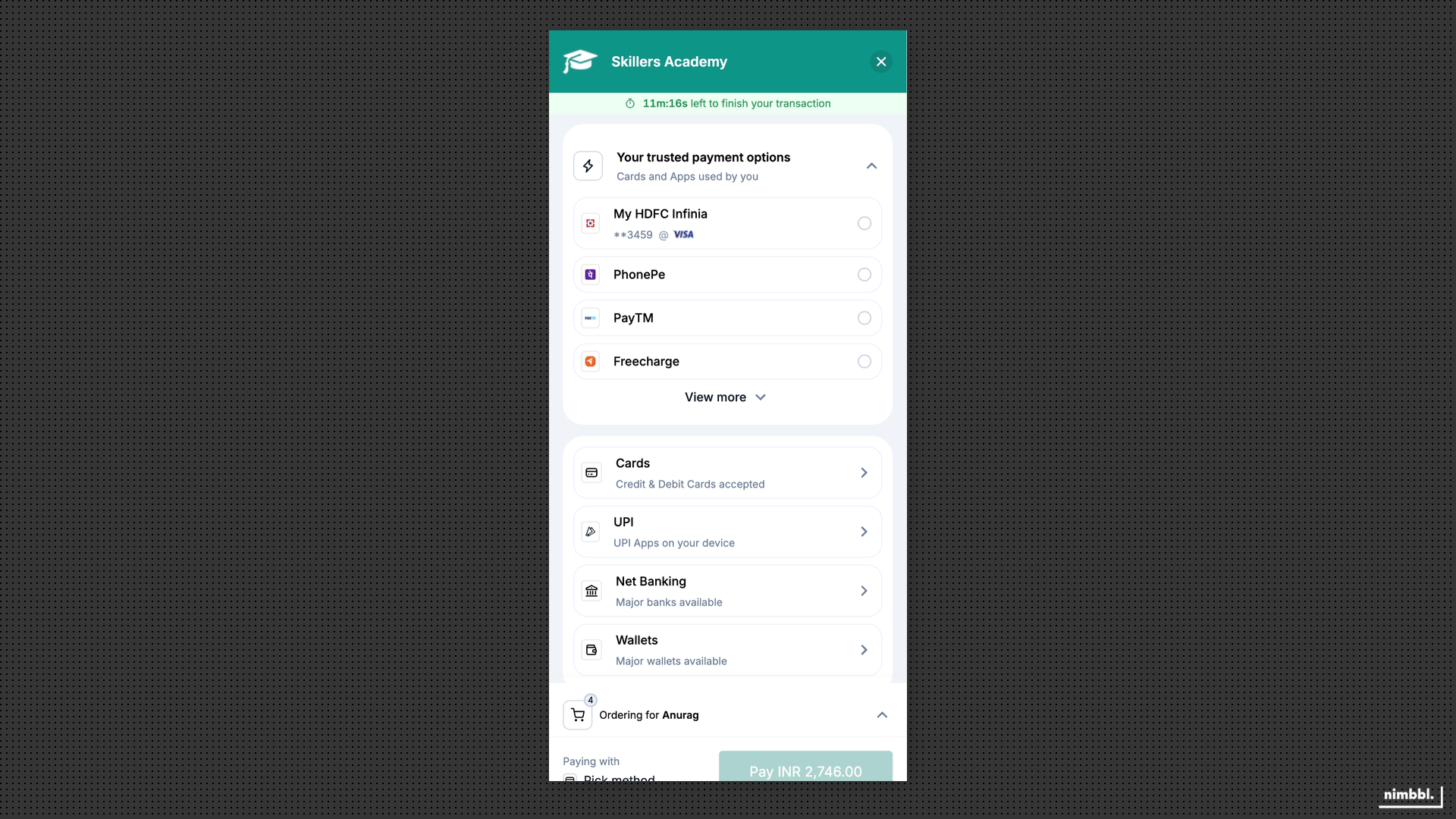 The checkout shows personalized options in the fast payment tray alongside the full list of traditional payment modes.
Payment Experience Configuration
Sonic supports configuration of how payment authentication flows (such as bank or issuer verification) are presented to the customer:
- If your checkout uses popup display mode, set the payment experience to popup as well, so authentication flows remain in-context.
- If your checkout uses redirect display mode, the payment experience can be either popup or redirect depending on your UX requirements.
This alignment ensures that the authentication step does not create an unexpected navigation pattern for the customer.
Payment Mode Enforcement
Sonic supports restricting the checkout to a specific payment mode (and sub-options) when you need to direct customers to a particular payment path. Payment modes can be enforced via URL parameters at checkout launch.
Enforceable options include:
- Cards: credit or debit
- UPI: collect or intent flows
- Netbanking: specific banks (by bank code)
- Wallets: specific wallets (by wallet code)
- EMI: credit card EMI, debit card EMI, or cardless EMI (by EMI code)
This is useful for scenarios such as targeted campaigns, pre-selected payment paths, or restricted checkout flows where only one payment mode should be available.