Creating an Order
In order to begin your integration, you will first need to create an order from your server as shown in the diagram below. This section will cover this step of the integration.
- These API calls need to be made only from your server to the Nimbbl server.
- While developing your changes, use your Test Keys
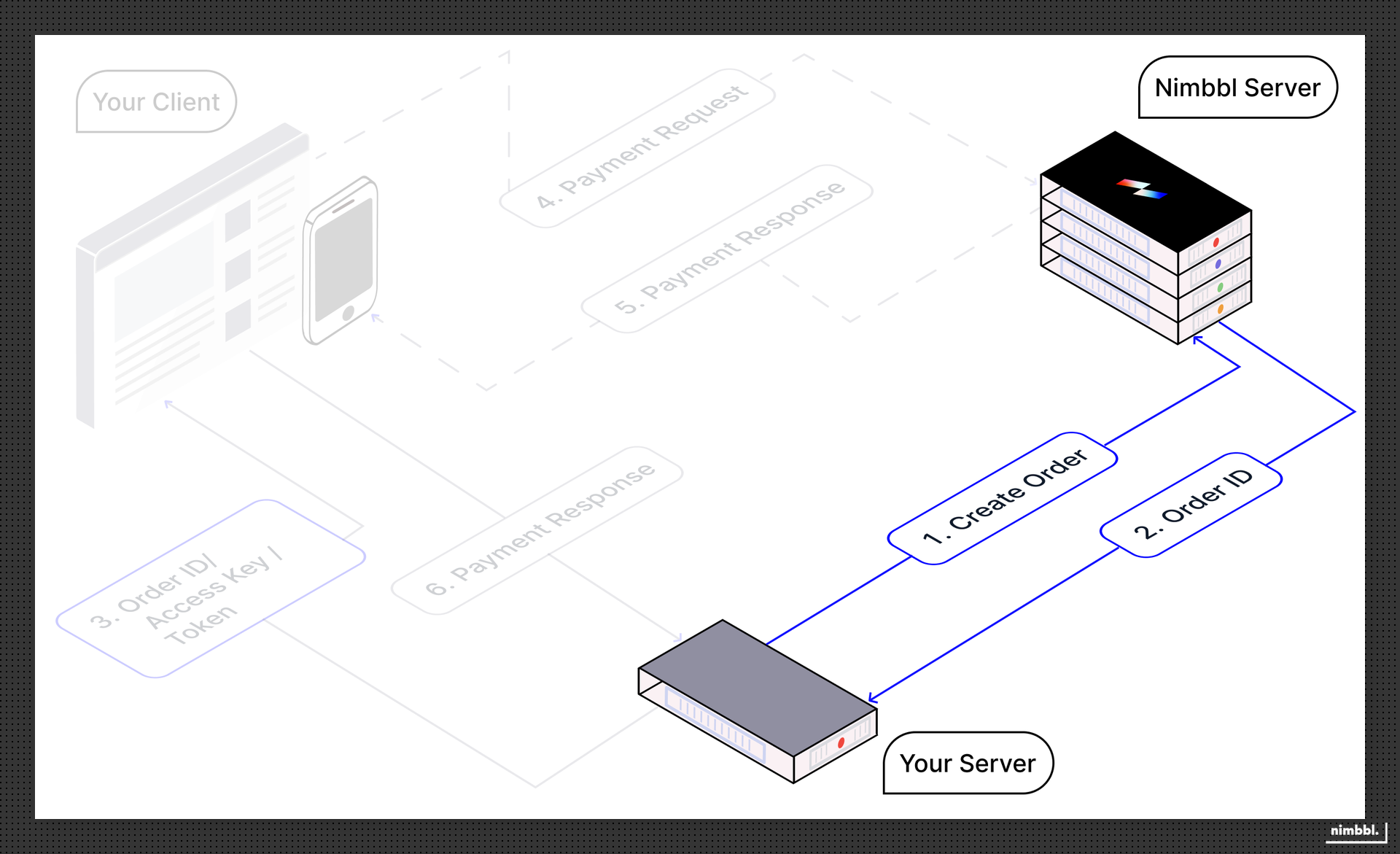
The following will explain in detail how to go about creating an order:
Obtaining a Token
All Nimbbl APIs are authorized using Bearer Token. In order to generate the token, you need to pass the keys available with you (access_key,access_secret). While you are testing, please use your Test Keys and in the Live environment, please use the Live Keys.
The token has a validity of 20 minutes and you need not create another token till this token has expired.
| Method | End Point |
|---|---|
POST | /v3/generate-token |
For detailed request, response, sample payloads, and error scenarios, see the Generate Token API reference.
Creating an Order
Creating an order is very simple as you need to pass all the information required by the Nimbbl API. The order API needs information about the following:
- Total Amount - This is the total amount inclusive of taxes for your entire cart amount
- Order Line Items - This contains the cart items so that they can be displayed on the checkout or cart based offers can be calculated. Showing cart items on checkout helps build trust for the customer
- User Details - Nimbbl helps to personalise the checkout for each user so sharing this information will help populate the UPI and Pay Later apps that are used by the customer
- Invoice ID - This is your internal reference identifier for the order. It must be a fresh, never-used value for each order; reusing invoice id will result in duplication errors and order will not be created.
Nimbbl enables you to create orders so multiple payments can be attempted by your customers for a single order in the case, the earlier attempts fail or stay pending.
The following endpoint creates an order:
| Method | End Point |
|---|---|
POST | /v3/create-order |
After the order is created, an order_id and a token is generated, this order_id and token will need to be provided by your server to your client so that payments can be collected for the order on the Standard Checkout.
For detailed request, response, sample payloads, and error scenarios, see the Create Order API reference.
This token generated in the create-order API is valid for 20 minutes from the time of order creation. If the token expires and you need to load checkout again for the same order, call the Get Order API with your server-side merchant token to obtain a fresh order token, which will again be valid for 20 minutes.
By default, an order is valid for 24 hours from the time of creation. You can launch the checkout only within this window, after which you will need to create a new order. If you need the order to be live longer, contact us at [email protected].