Setting up your Client SDK
After your order has been created, the next step is to pass the order_id, access_key and token to your client and launch the Nimbbl Standard Checkout. In this section you will find detailed documentation to invoke the checkout for your desired client.
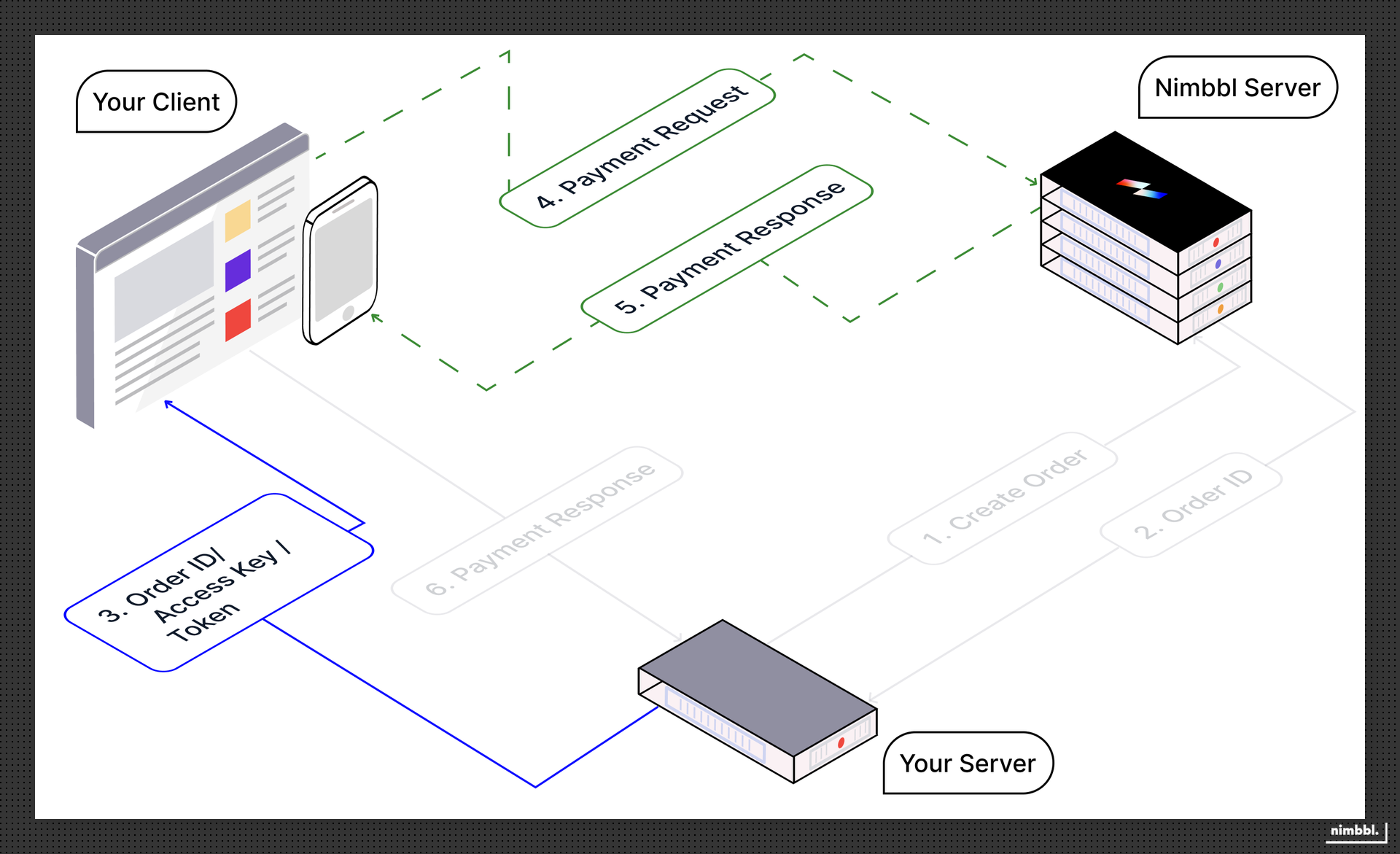
After the checkout is launched by your client, you need not worry about initiating the payment request and getting a payment response from the Nimbbl servers as the checkout will handle these calls on your behalf.
Information from your Server
The respective client SDK will need the following information from your server in order to be able to launch the checkout
| Client SDK | order_id | access_key | token |
|---|---|---|---|
| Web or Javascript | ✘ | ✘ | ✔ |
| Android | ✘ | ✘ | ✔ |
| Flutter | ✘ | ✘ | ✔ |
| iOS | ✘ | ✘ | ✔ |
| React Native | ✘ | ✘ | ✔ |
Steps on the Client-SDK
Please refer to the detailed documentation of the respective SDK to understand each step in detail
- Installing and/or Initialising the SDK - this will help you include or install the SDK in your codebase
- Invoking the Standard Checkout - this will help you launch the checkout
- Getting the Response - this will help you get the response from the checkout