Affordability
Boostr affordability helps customers pay in installments and helps merchants fund programs that reduce the cost of EMI. When a customer reaches checkout, Boostr discovers which EMI schemes are eligible for the current order, calculates accurate pricing for each option, and applies subventions (no-cost or low-cost EMI) when those programs are configured. The customer sees clear monthly amounts and can choose the plan that works for them.
For merchants, affordability drives higher average order values and reduces cart abandonment on high-value purchases. Customers who see an affordable monthly payment are more likely to complete checkout than those facing a single large amount.
When a customer reaches checkout with an order eligible for EMI, Boostr runs scheme discovery across configured providers and issuers. It filters out schemes that do not meet amount or eligibility requirements, calculates pricing components (interest, processing fees, convenience fees) for each remaining scheme, and presents the results in a clear comparison view. If subventions are configured, Boostr applies them so the customer sees reduced or zero interest on eligible schemes. The entire process is real-time so pricing is accurate at the moment the customer makes their decision.
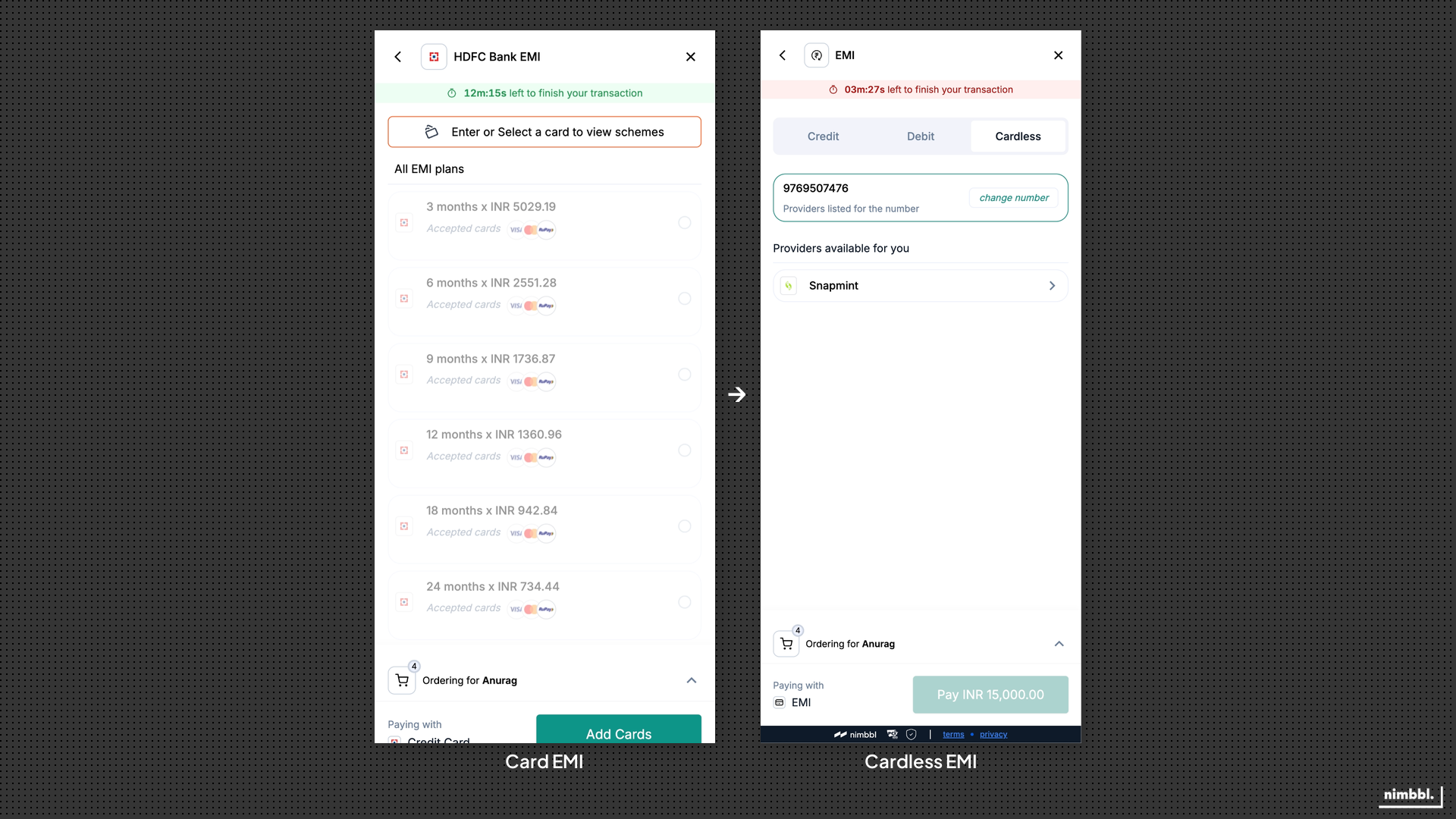 Boostr surfaces both card-based and cardless EMI options, giving customers flexibility to pay in instalments with or without a credit card.
EMI Discovery & Validation
EMI Calculator
The EMI calculator gives customers a complete pricing view of available EMI schemes for their order. It shows the monthly instalment amount, tenure options, interest rate, and any applicable fees for each scheme. When subventions or offers apply, the calculator reflects the reduced pricing so the customer sees the actual cost they will pay.
EMI options and pricing are validated in real time. Only eligible schemes are shown. If scheme or bank data is unavailable for a particular card or tenure, that option may not appear.
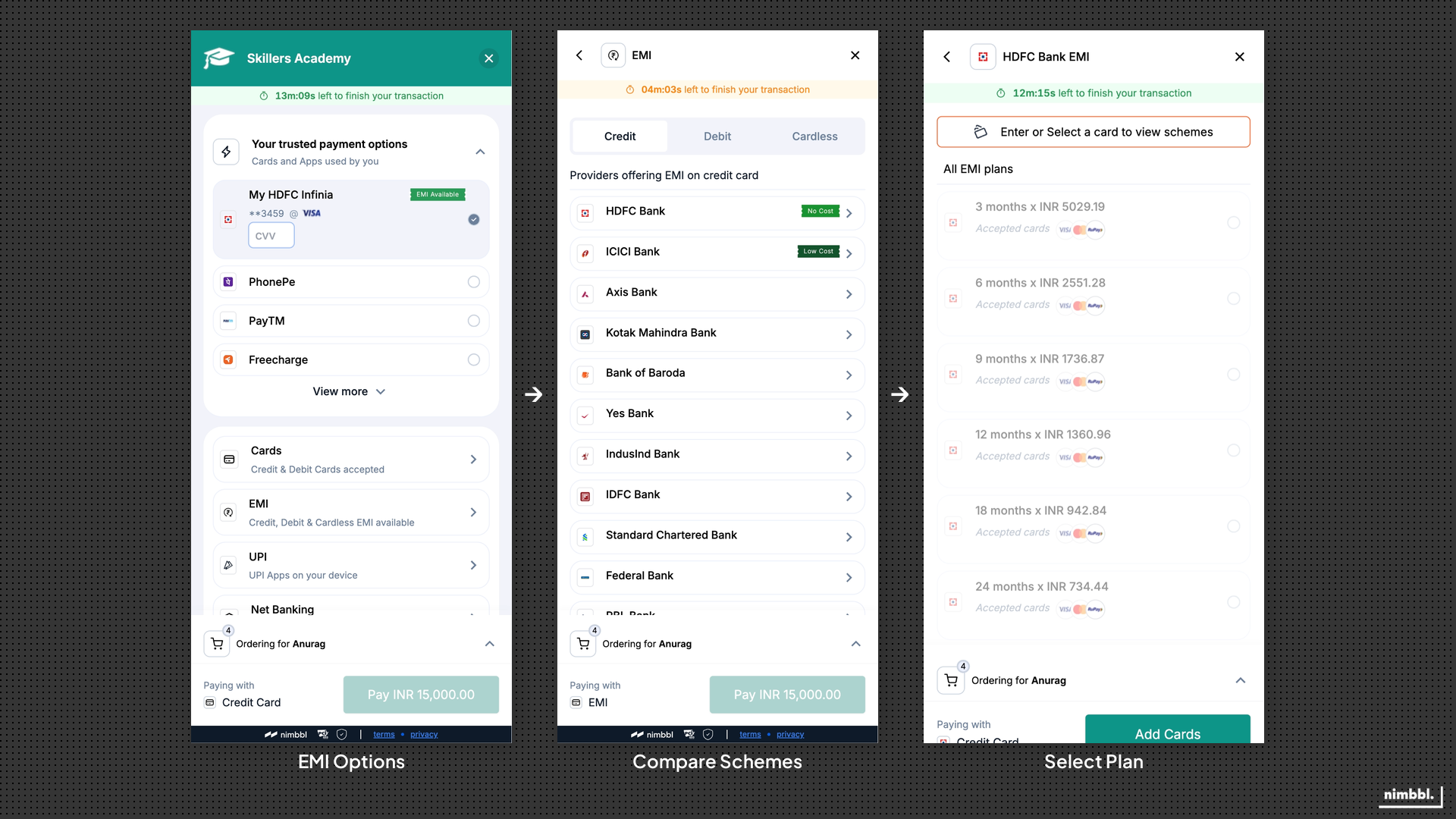 The EMI journey: customers see EMI options in the fast payment tray, compare schemes in the calculator, and select the plan that fits their budget.
EMI Scheme Selection
Once the customer reviews their options in the calculator, they select the scheme that fits their budget. Boostr supports selection across card EMI and cardless EMI schemes, with each option showing the bank or issuer, tenure, monthly amount, and total payable. The selection step is designed to be straightforward: pick a scheme, confirm, and proceed to payment.
For saved cards, the EMI flow adapts to show only the schemes available for that specific card. The customer does not need to re-enter card details; Boostr surfaces eligible EMI options directly on the saved instrument.
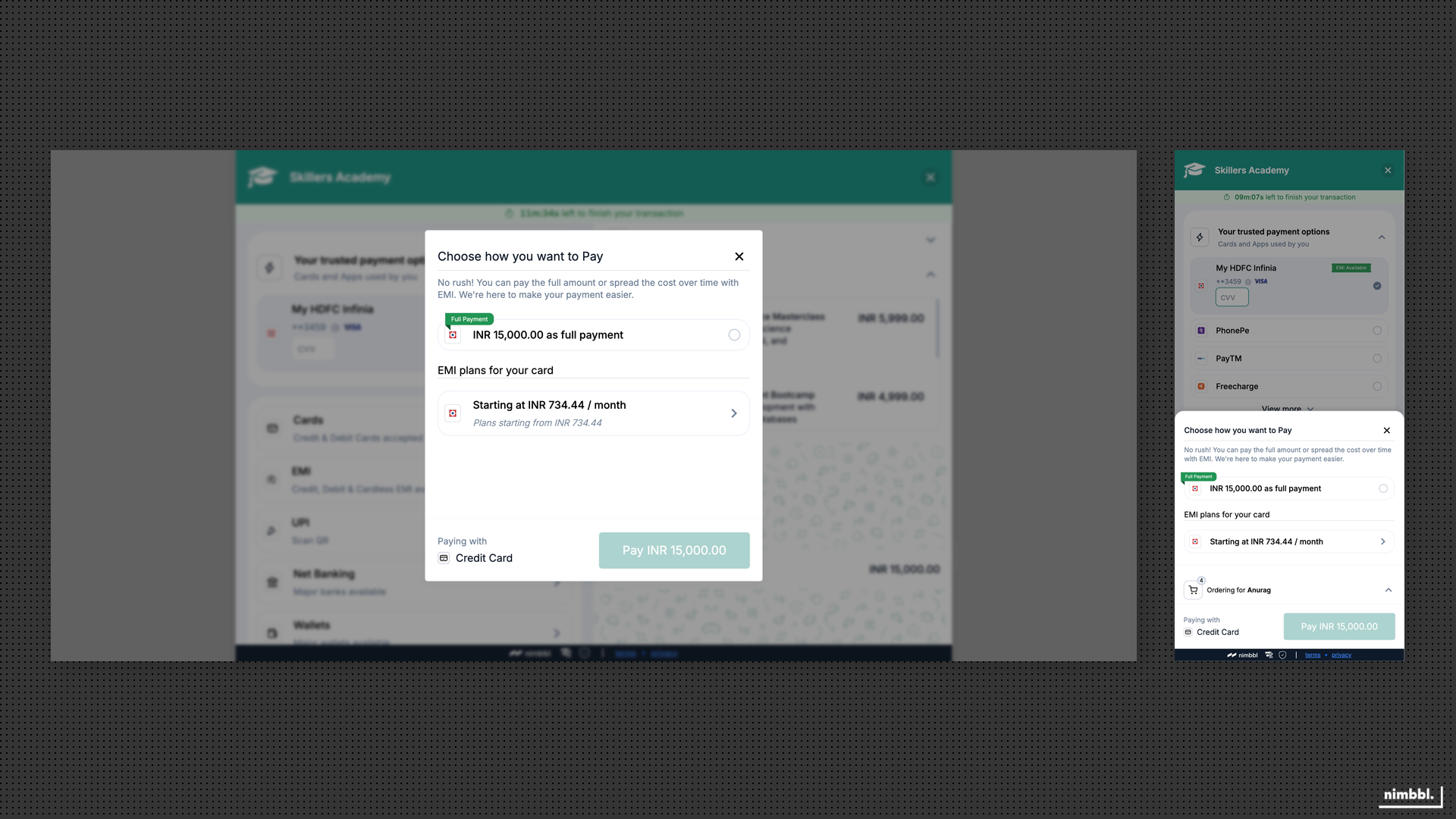 Saved card EMI surfaces eligible schemes directly on the stored instrument without re-entering card details.
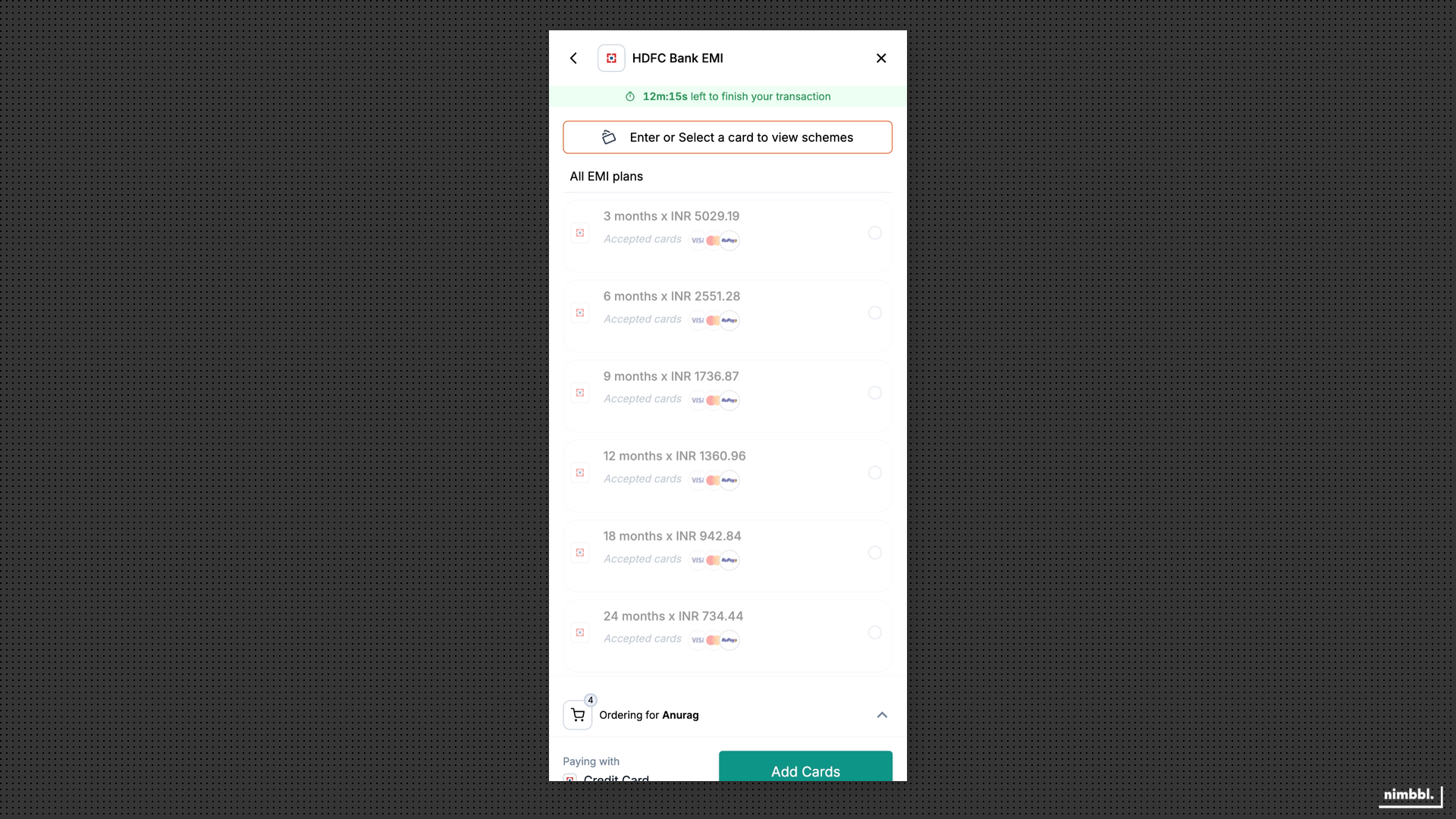 Customers select from eligible EMI schemes with clear monthly amounts and tenure options.
Scheme Accuracy
Boostr keeps EMI scheme data accurate and up to date across checkout sessions. Scheme availability and pricing are validated so the options the customer sees at selection time match what is available at payment time. This prevents pricing discrepancies and failed EMI transactions caused by stale scheme data.
EMI Incentivization & Subvention
Subventions reduce or eliminate the interest cost of EMI so customers can access more affordable installment plans. Merchants or brand partners fund the interest subsidy, and the customer sees the reduced rate at checkout.
Subventions (no-cost or low-cost EMI) are configured in Command Center. This page describes what subventions are and how they appear in checkout, not step-by-step setup.
Boostr supports two types of subventions:
- No-cost EMI: the customer's effective interest rate is reduced to zero. The monthly instalment multiplied by the tenure equals the product price with no additional interest cost.
- Low-cost EMI: the customer's effective interest rate is reduced but not eliminated. The monthly payment is lower than standard EMI but still includes a reduced interest component.
Subventions can be structured as discount-based (the interest subsidy reduces the transaction amount) or cashback-based (the subsidy is credited back after payment). The choice depends on how the merchant or brand partner wants to fund the program.
Subvention rules control which EMI schemes qualify. You can target subventions by EMI type (card EMI or cardless EMI), tenure, bank or issuer, card scheme, and geography where configured. This ensures subventions apply only to the intended schemes and customer segments.
Subvention limits bound the total spend on a subvention program. Limits can be set at the global level, per customer, and per card to prevent overspend and ensure the program stays within budget.
Boostr also supports brand EMI subventions where product brands sponsor the interest subsidy for their products. When supported by the partner program, customers see no-cost or low-cost EMI options funded by the brand on eligible products.
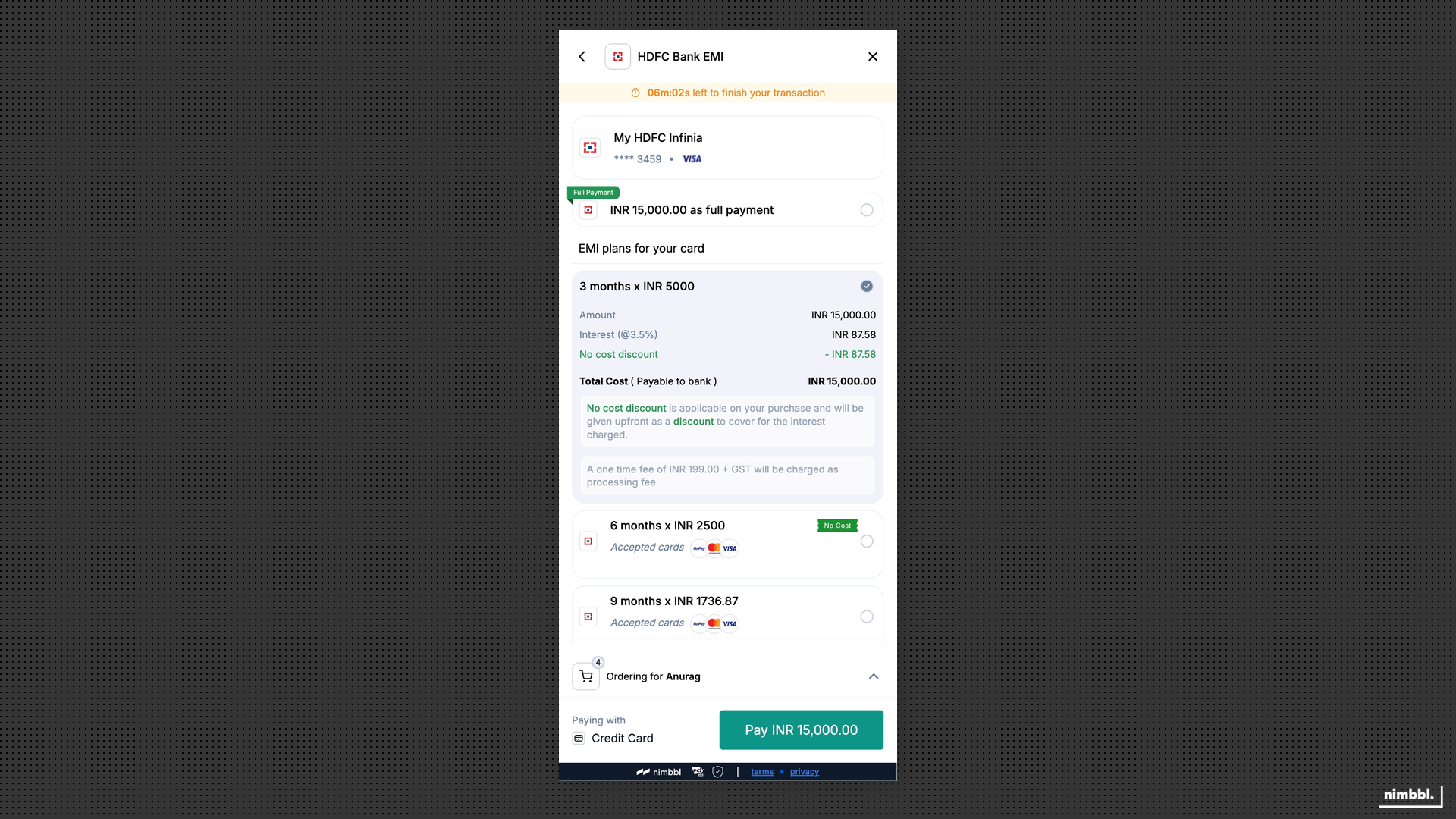 Subvention-backed schemes show reduced or zero interest directly in the checkout.
Low-Cost EMI
Low-cost EMI sits between standard EMI (full interest) and no-cost EMI (zero interest). It is useful when full subvention is not commercially viable but you still want to make the purchase more affordable than standard EMI rates. Customers see a lower monthly amount compared to standard EMI, and the reduced rate is clearly reflected in the EMI calculator so there is no ambiguity about what they will pay.
Low-cost EMI uses the same subvention infrastructure as no-cost EMI. The difference is the degree of subsidy: partial rather than full. Configuration, rules, and limits work the same way, giving you consistent controls across both program types.
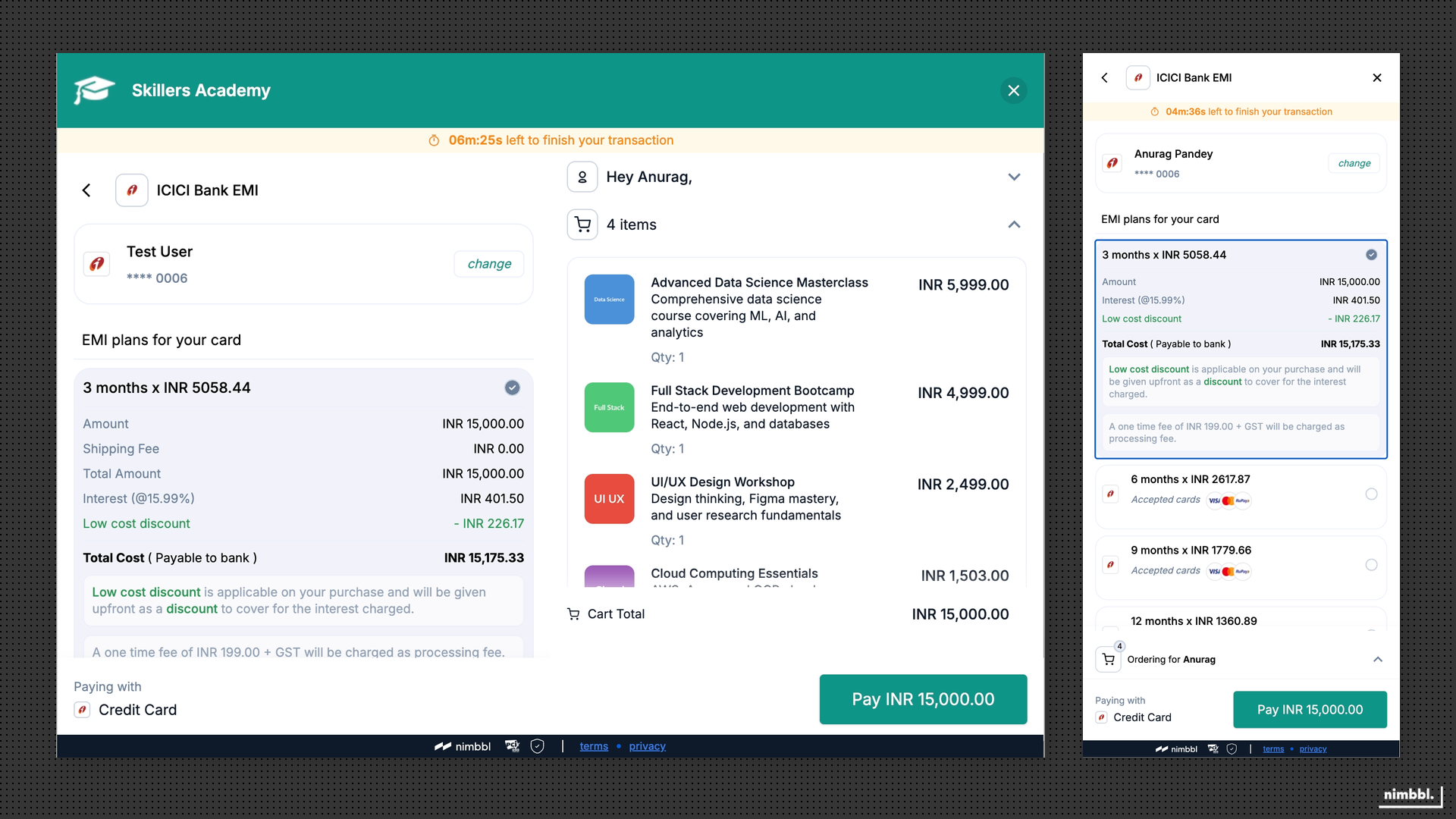 Low-cost EMI shows a reduced interest rate in the EMI calculator, sitting between standard and no-cost options.