Forgot Password
Use Forgot Password when you cannot log in because you forgot your password or your password has expired. You enter your registered email and submit the request. Command Center sends you an email with a link to set a new password. You then complete the flow on the Set Password page.
When to Use Forgot Password
You should use this flow when:
- You do not remember your current password.
- Your password has expired and you need to create a new one.
- You received an error during login that suggests a password reset.
Step-by-Step: Request a Reset Link
- Open the Forgot Password page. You can reach it by selecting Forgot Password? on the Login page.
- Enter the email associated with your Command Center account.
- Select Send Reset Password Link.
- Check your email inbox for the reset message. The email contains a link that opens the Set Password page.
- Open the link and follow the instructions on Set Password to create your new password.
After setting your password, go back to the Login page and log in with your email and new password.
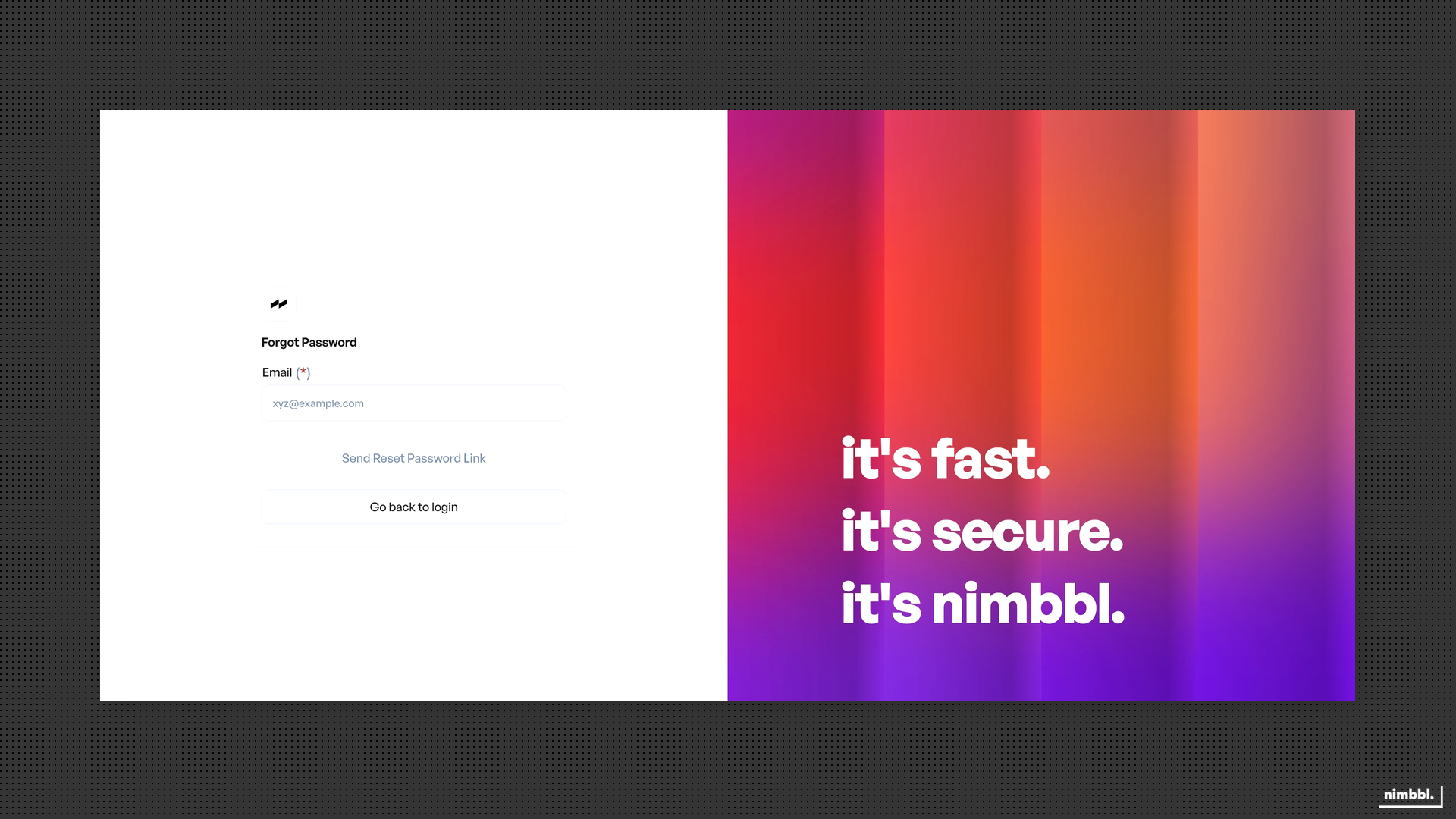 Forgot Password -- enter your email and select Send Reset Password Link
What to Expect After Submitting
After you submit your email, you should see an on-screen confirmation that a reset link has been sent. The email contains a link that takes you to the Set Password page where you can create a new password.
 Email sent confirmation -- your reset link is on the way
The reset link in the email expires after a limited time. If your link has expired, return to this Forgot Password page and request a new one.
Troubleshooting
Email Not Received
Check your spam or junk folder first. Confirm you entered the correct email address -- it must match the one associated with your Command Center account. Wait a few minutes, as email delivery can sometimes be delayed. If the email still does not arrive, submit the request again from this page.
Link Expired
Password reset links are valid for a limited time. If you opened the link and see a "Link Expired" message, return to the Forgot Password page and request a new reset link. Then use the new link promptly.
Email Address Not Recognized
If you see an error when submitting, verify you are using the same email that was used to create your Command Center account. Contact your organization admin if you are unsure which email is on file.