My Profile
Profile is where you view and update your own user details in Command Center. From here you can see your current information, edit your name and contact details, and reset your password. This page covers your personal profile only. To manage other team members, roles, and access, go to People.
Viewing Your Profile
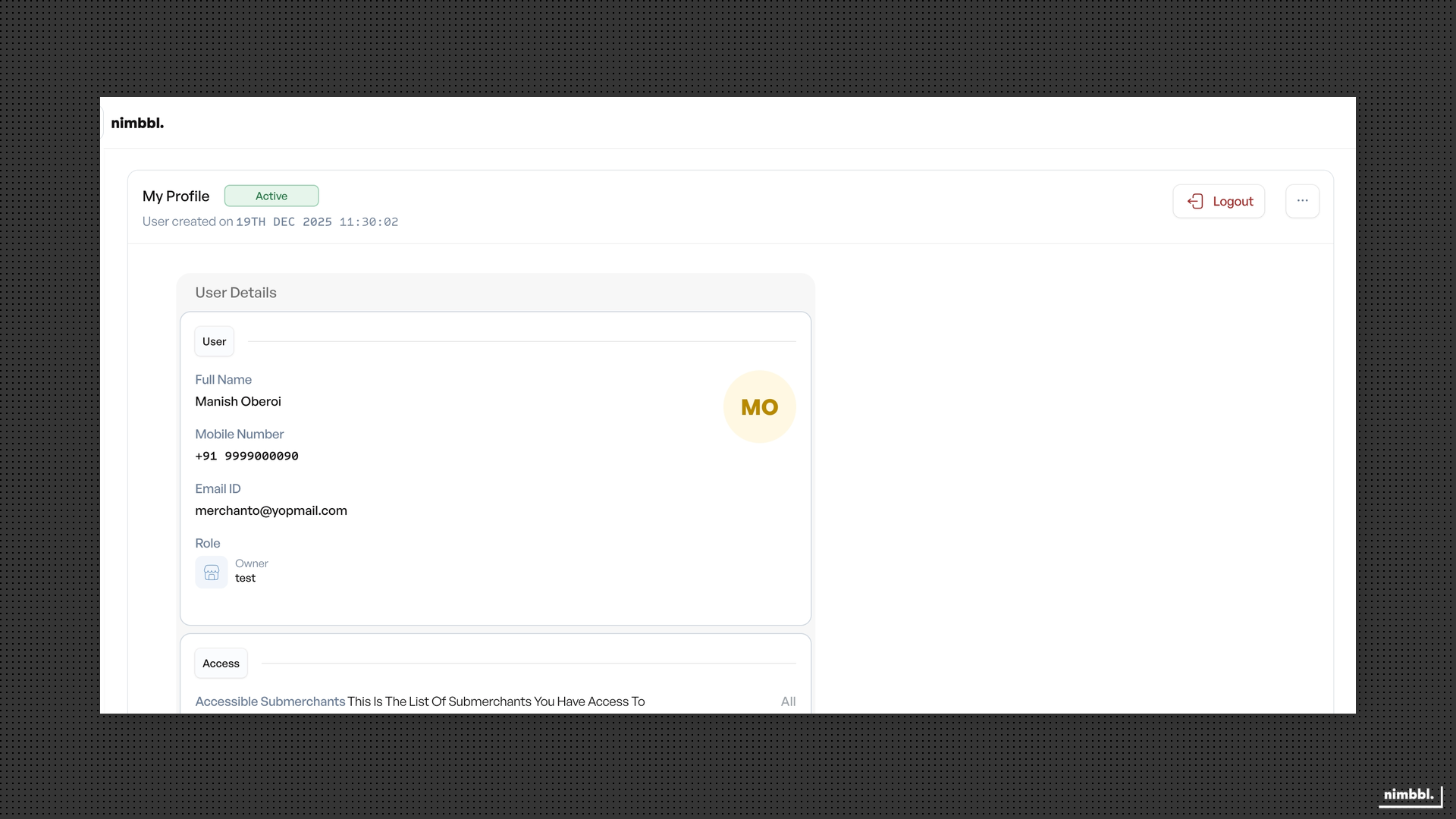
Click your profile name or avatar in the Command Center header (top right) or sidebar (bottom) to open your profile. The profile page shows your status (Active or Inactive), account creation date, and a Logout button. The User Details section displays:
- Full Name -- Your first and last name as they appear across Command Center.
- Mobile Number -- Your contact number with country code.
- Email ID -- The email address associated with your account. This is used for login and notifications.
- Role -- Your current role (for example, Owner, Manager, Agent, or Viewer) and user type. Roles are assigned by your administrator and cannot be changed from this page.
Below User Details, the Access section shows which sub-merchants you have access to.
Editing Your Details
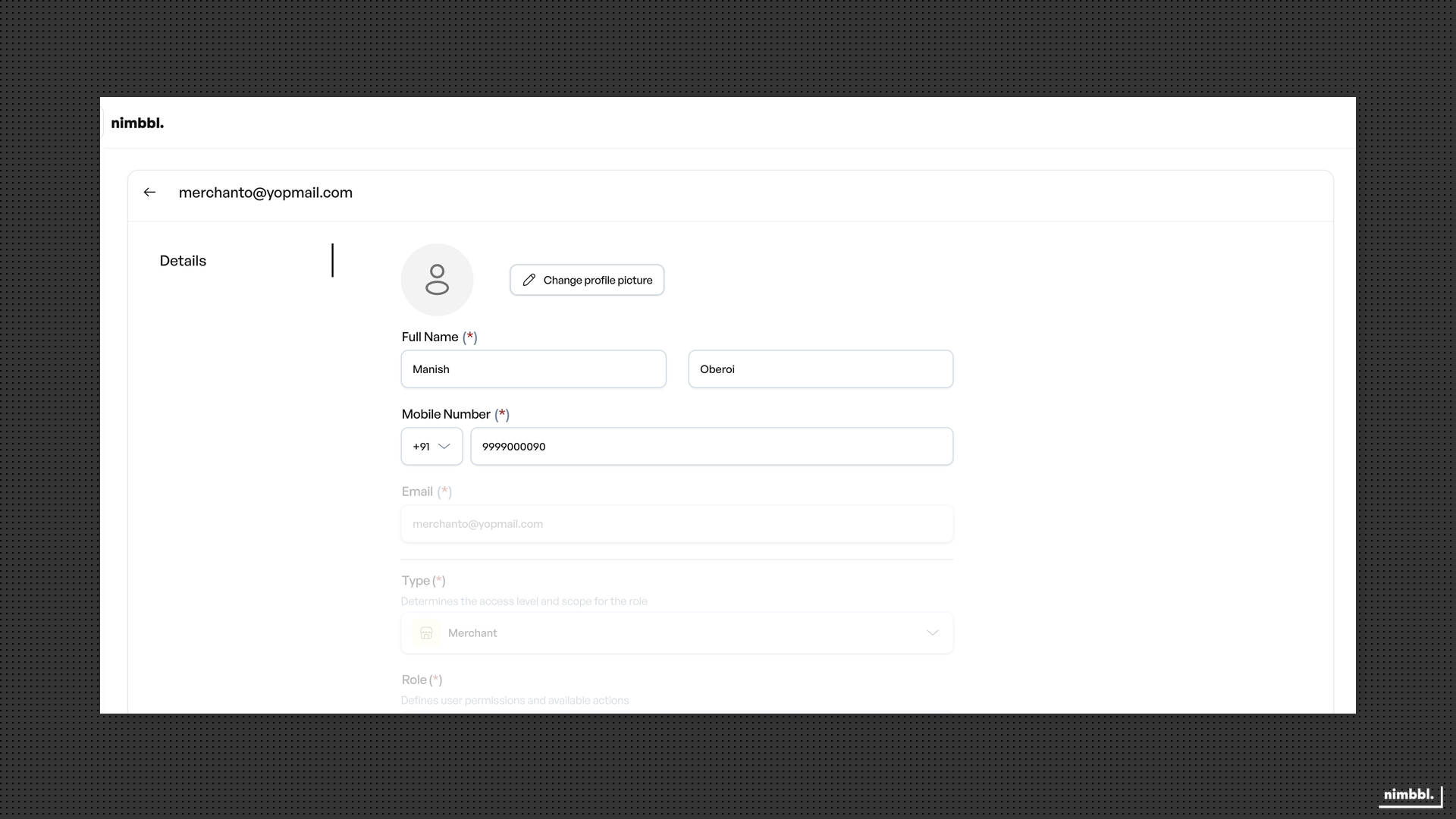
Select the edit action on your profile page to open the Details tab. You can update the following:
- Full Name -- Update your first and last name.
- Mobile Number -- Update your contact number with country code.
- Profile picture -- Upload or replace your profile photo.
After making changes, save to apply them. Email, Type, and Role are displayed but cannot be edited. Email is set when your account is created and is permanent. Role and type changes are made by users with appropriate permissions on the People page.
Resetting Your Password
To reset your password, open the ... menu on your profile page and select Reset Password Link. This sends a password reset email to your registered email address. Follow the link in the email to set a new password on the Set Password page.
If you are logged out and cannot access your profile, use the Forgot Password flow from the login page to request a reset link instead.
Your role is managed by your organization administrator. Email cannot be changed after account creation. If you need a role change, contact your administrator or reach out to Nimbbl support.