Voids
The Voids page lets you browse all voids. A void cancels a pre-authorized payment, releasing the held funds back to the customer without collecting them. Each void is created from an authorized payment and is linked back to it.
For filters shared across all Search pages (Date, Status, Environment, Currency, Amount, and more), see Common filters across all entities.
Each void is linked to a payment and an order. You can navigate to these from the Void Details view.
Browsing Voids
The Voids list displays your voids in a table with the following columns:
- Void ID -- Unique identifier for the void
- Payment ID -- The authorized payment this void was created from
- Void Date -- When the void was made
- Void Amount -- Amount released, with currency
- Invoice ID -- Your invoice reference
- Status -- Current void status
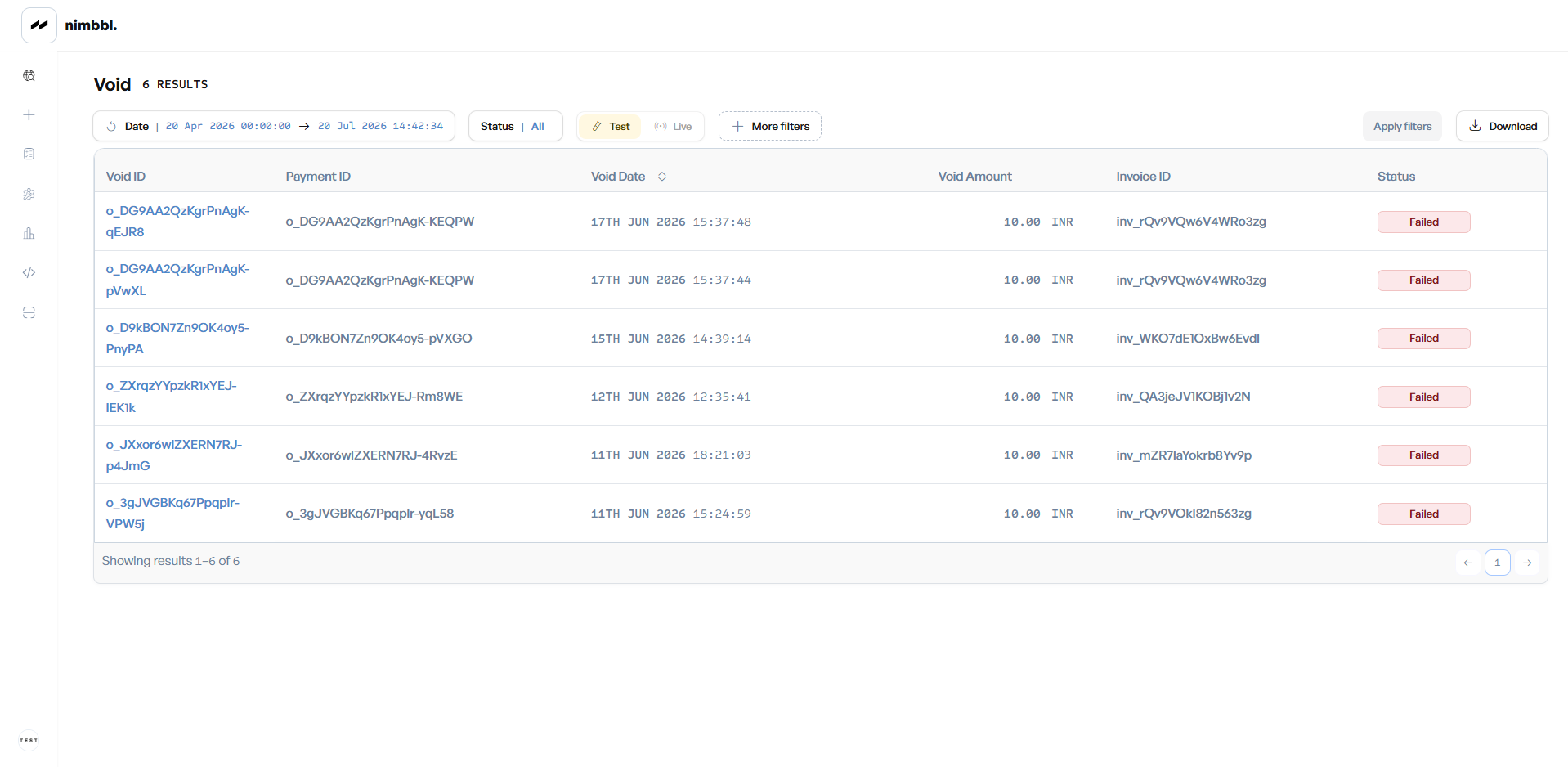 Voids list -- click any row to open its detail view
Filtering Voids
In addition to the common filters, the Voids page has these unique filters:
Void statuses: Pending, Succeeded, Failed
- Void ID -- Search by one or more exact void IDs.
- Payment ID -- Filter voids for a specific payment.
- Invoice ID / Order ID -- Filter voids for a specific invoice or order.
- PSP Void Reference ID -- Filter by the reference generated by the payment partner.
- Payment Mode -- Filter by payment mode: Cards, UPI, Netbanking, Wallets, EMI, Pay Later.
- Payment Partner -- Filter by the payment partner.
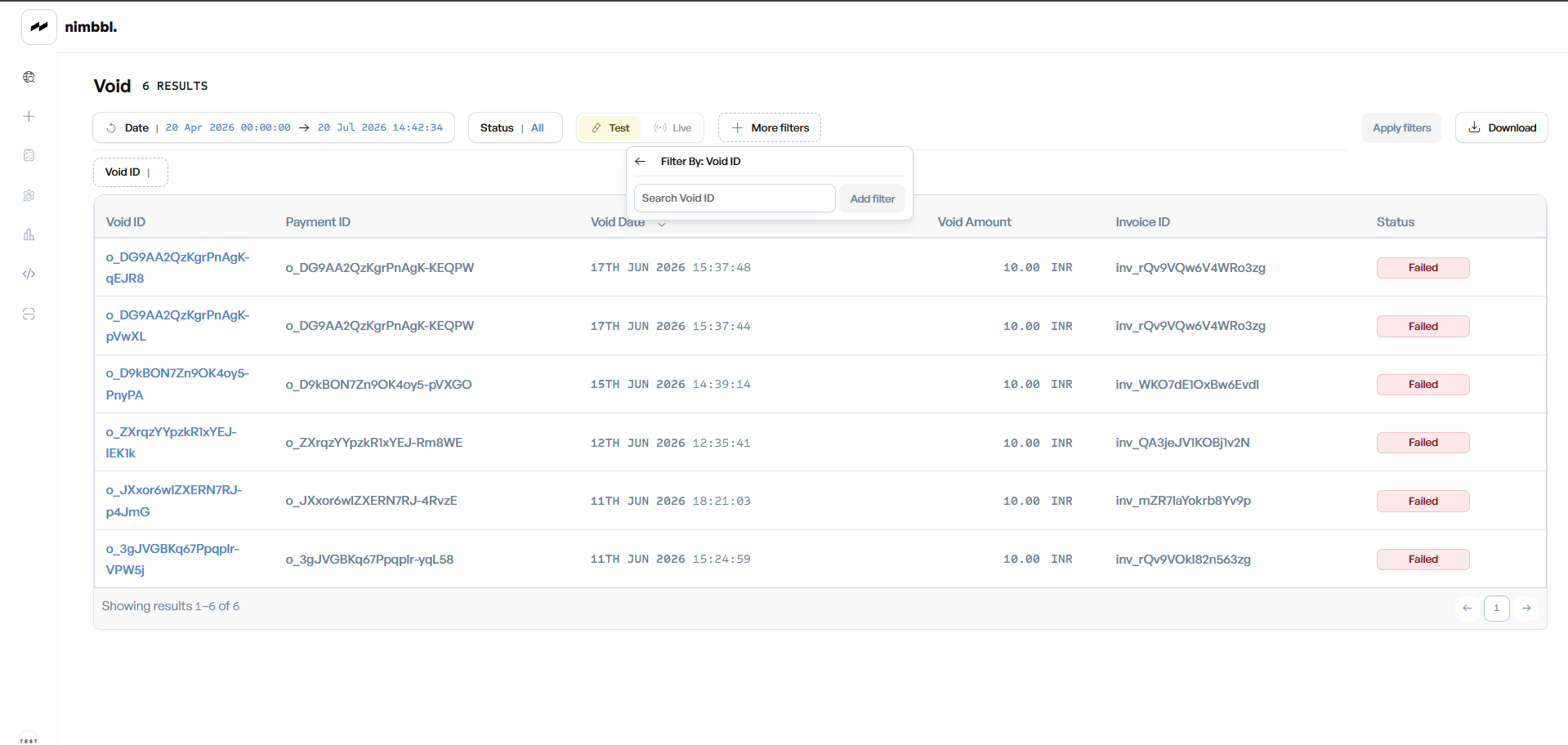 Filter voids by Void ID -- enter one or more IDs and click Add filter
Void Details
Click any void row to open its detail view. The detail page shows:
- Void information: Transaction Amount, Void Date, Invoice ID, Merchant, Submerchant, Payment Mode, Payment Partner, Credential Label, the PSP Void Reference ID (when available), Auth Mechanism, Initiated By (whether the void was triggered by the merchant or by the system), and the Void Reason
- Linked Payments: The authorized payment this void was created from. Payment ID is a clickable link to Payment Details.
- Amount details: Order amount, discount, shipping fee, cash-on-delivery fee, convenience fee, and the payment amount
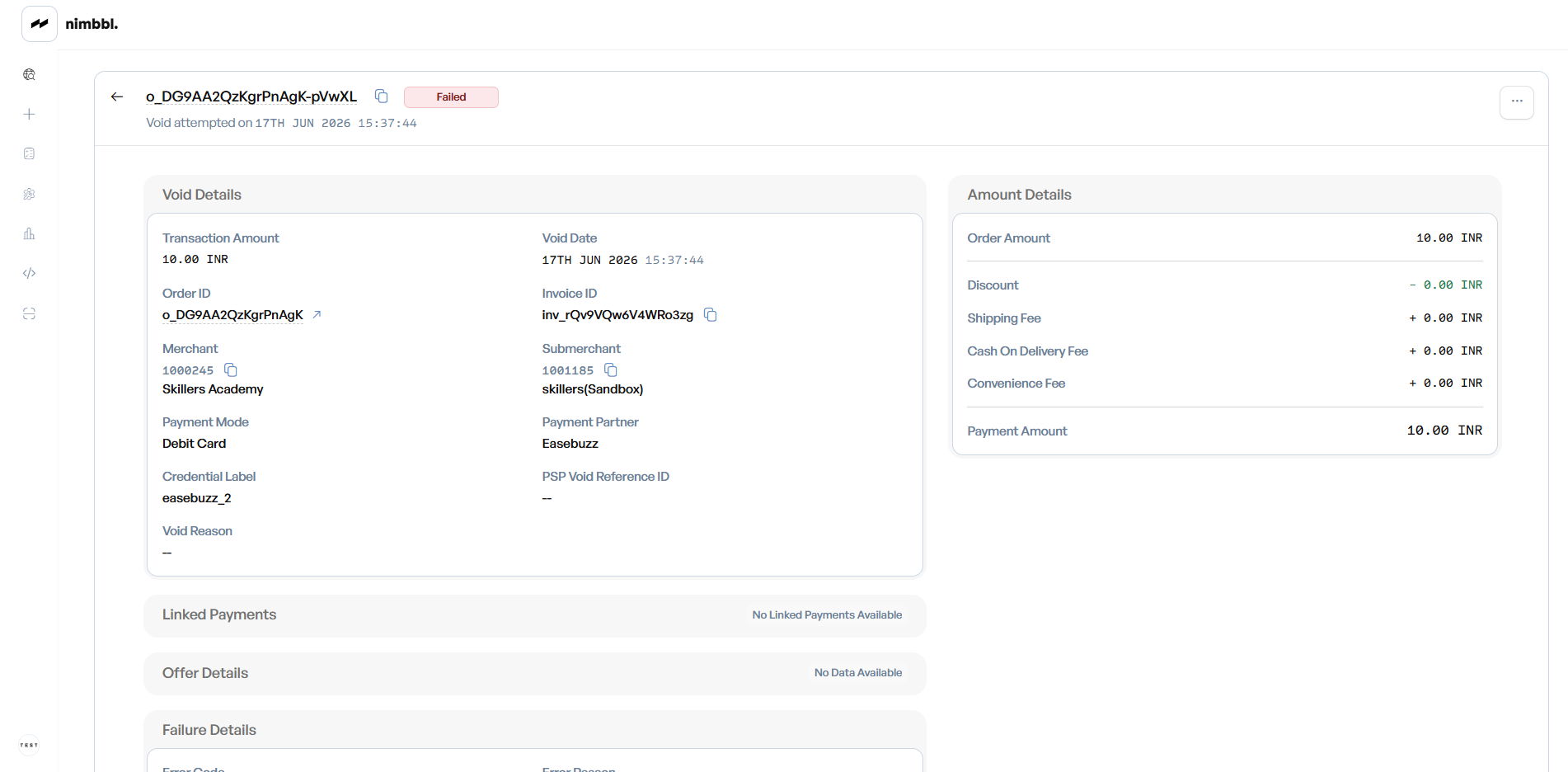 Void details -- with Initiated By, Void Reason, and the linked authorized payment
Creating a Void
Voids are created from the Payment Details page, not from the Voids list. The Void action appears only when the payment status is Authorized. Selecting it opens a confirmation that cancels the authorization and releases the held funds back to the source. On success the payment moves to Reversed and the order to Lapsed.
For the server/API flow and how to detect the authorized state, see Pre-auth and Capture.
Downloading Void Data
To download your filtered void data, see Downloads in Files.