Payment Mode Targeting
Payment mode targeting controls which payment modes are eligible for an offer. You configure targeting in the Payment Modes tab when you create an offer or edit one. This page explains the targeting options and rules for each payment mode.
Targeting Rules at a Glance
| Payment Mode | Targeting Options |
|---|---|
| Cards | Card mode (credit, debit, prepaid), network (Visa, Mastercard, RuPay), geography (domestic, international), issuer bank, BIN include/exclude lists |
| UPI | Flow (intent, QR, collect), UPI app, payment partner, instrument |
| Netbanking | Specific banks or all banks |
| Wallets | Specific wallet providers or all wallets |
| Pay Later | Specific providers or all providers |
| Card EMI | Same card targeting plus EMI tenure selection |
Card Targeting
When you enable Cards, you can set granular targeting rules.
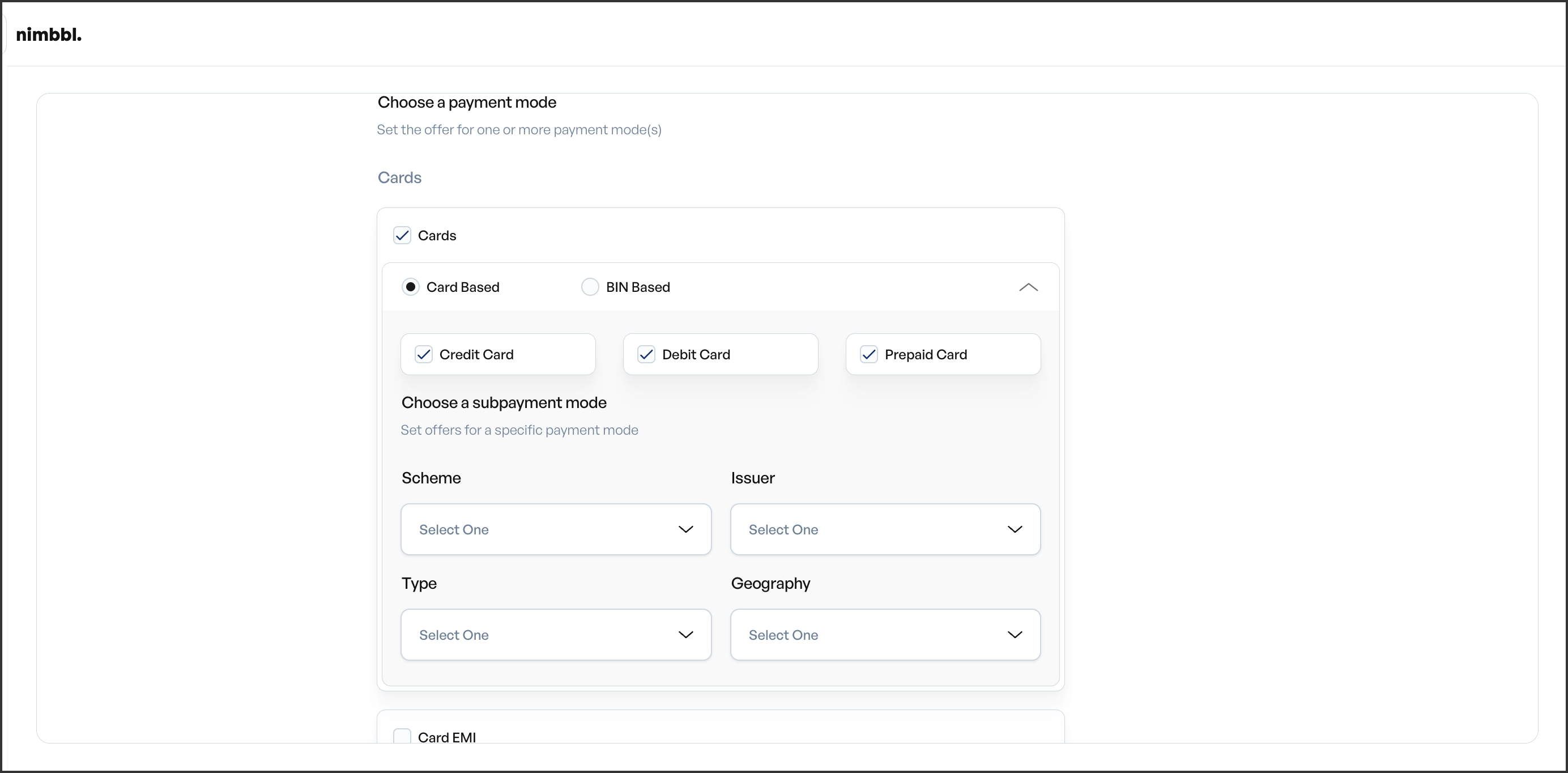
Card Mode
Select which card types the offer applies to: Credit, Debit, Prepaid, or All. If you choose specific types, only transactions using those card types are eligible.
Network
Target specific card networks: Visa, Mastercard, RuPay, or All. The customer's card network must match your selection.
Geography
Choose Domestic, International, or All. Domestic cards are issued within India; international cards are issued outside India.
Issuer Bank
Select specific issuer banks from the bank list, or leave unselected to allow all issuers. Only transactions from the selected banks are eligible.
BIN Targeting
Use BIN (Bank Identification Number) lists for precise targeting:
- BIN include list -- only cards with these BINs are eligible.
- BIN exclude list -- cards with these BINs are excluded.
BINs are typically 6 to 10 digits. You can enter them manually or upload a CSV file. Include and exclude lists work together: a card must match the include list (if set) and must not be in the exclude list.
UPI Targeting
When you enable UPI, you can target specific flows, apps, and payment partners.
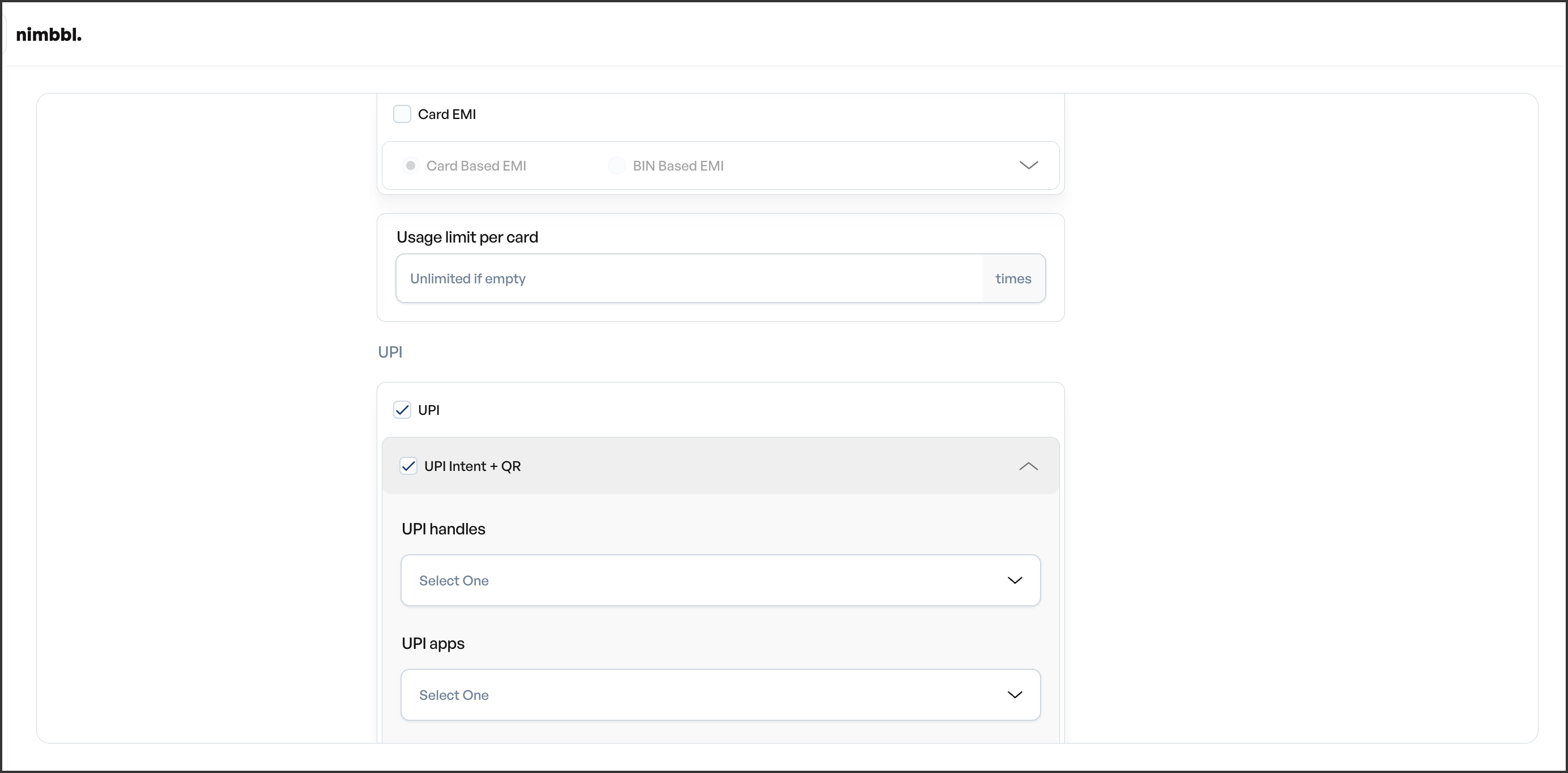
Flow Targeting
- Intent -- customer-initiated mobile payment (for example, through a UPI app).
- QR -- customer scans a QR code to pay.
- Collect -- merchant-initiated payment request sent to the customer's UPI ID.
You can enable one or more flows. Only transactions using the selected flow are eligible.
UPI App and Payment Partner
Select specific UPI apps (PhonePe, Google Pay, Paytm, and others) or payment partners. Leave unselected to allow all.
Other Payment Modes
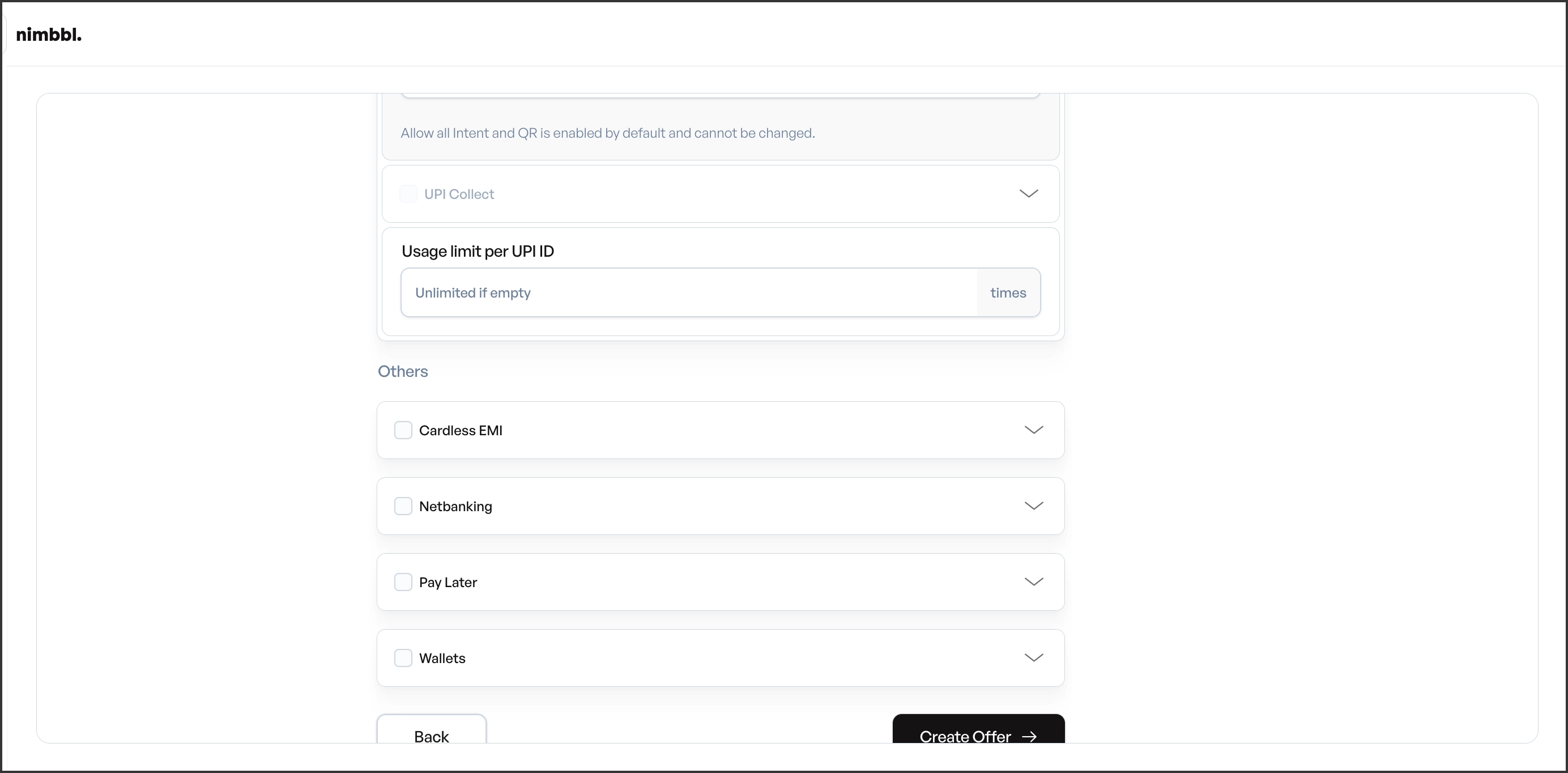
Netbanking
Enable Netbanking and select specific banks, or allow all banks. If you choose specific banks, only transactions from those banks are eligible.
Wallets
Enable Wallets and select specific wallet providers, or allow all wallets. Only transactions using the selected providers are eligible.
Pay Later
Enable Pay Later and select specific providers, or allow all providers. Only transactions using the selected Pay Later providers are eligible.
How Targeting Affects Eligibility
At checkout, the payment mode used by the customer is matched against your targeting configuration. The offer applies only if the payment mode, and all its sub-criteria (network, bank, BIN, flow, and so on), match. For the full eligibility picture, see Eligibility And Validation.